Whether you’re working on a math problem, writing computer code, or creating a spreadsheet, you’ve probably encountered situations where you need to show that two things are not equal. That’s where the does not equal sign comes in handy. This simple symbol plays a crucial role in mathematics, programming, and everyday problem-solving.
In this comprehensive guide, we’ll explore everything about the does not equal sign—what it looks like, how to use it, how to type it on different devices, and why it matters in various fields. By the end, you’ll be an expert on this essential symbol.
What Is the Does Not Equal Sign?
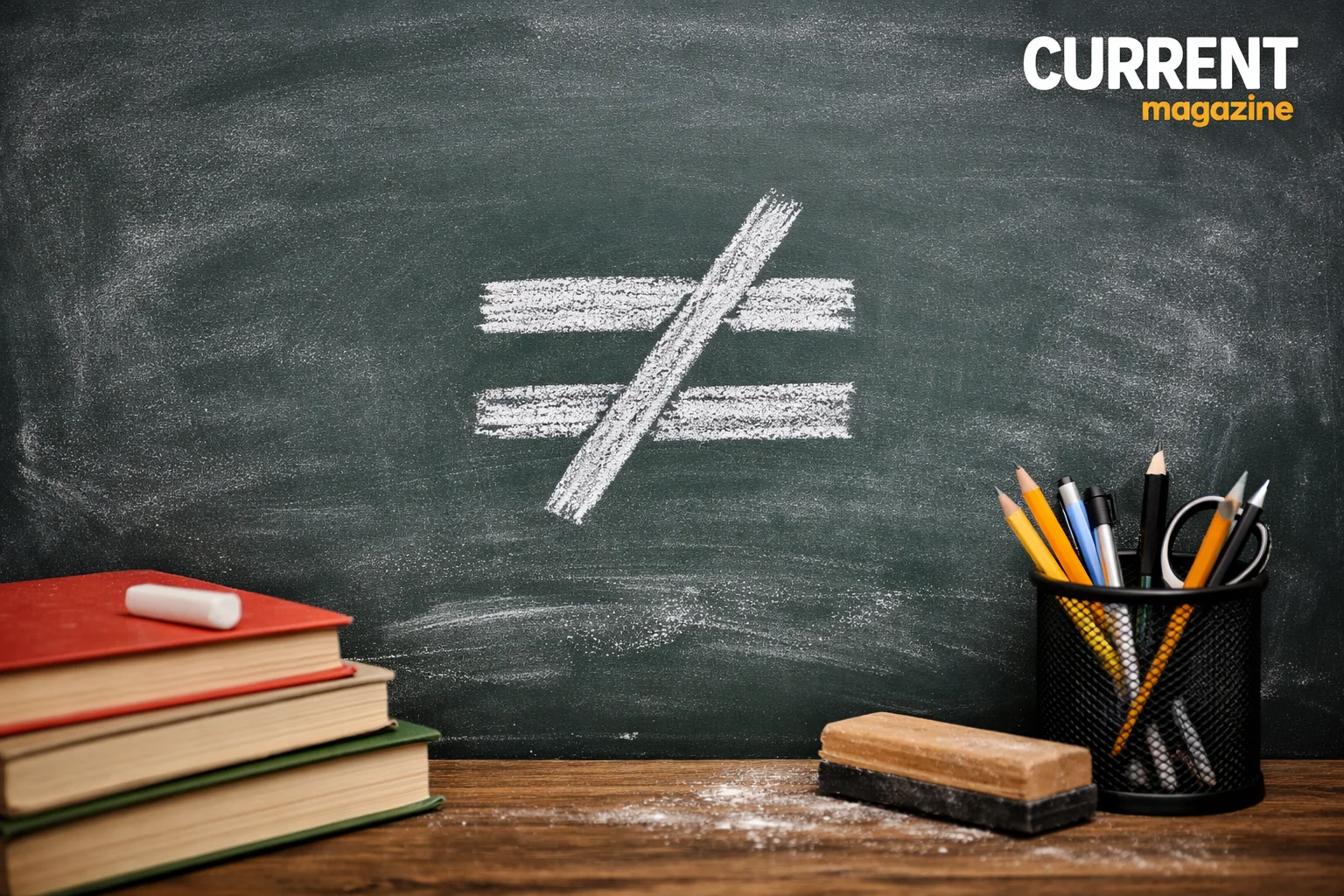
The does not equal sign is a mathematical symbol that shows two values, expressions, or quantities are not the same. It tells us that the items on either side of the symbol have different values or are unequal in some way.
The most common form of the does not equal sign looks like this: ≠
This symbol is simply an equals sign (=) with a diagonal slash running through it. When you see this symbol, you read it as “does not equal” or “is not equal to.”
For example:
- 5 ≠ 7 (five does not equal seven)
- 10 + 2 ≠ 15 (ten plus two does not equal fifteen)
- Apple ≠ Orange (an apple is not equal to an orange)
The History Behind the Symbol
The does not equal sign has an interesting history in mathematics. While the equals sign (=) was introduced by Welsh mathematician Robert Recorde in 1557, the does not equal sign came much later.
Mathematicians needed a way to express inequality, and over time, different notations emerged. The slash through the equals sign became the standard symbol we use today. This design makes perfect sense because it takes something we already know (the equals sign) and negates it with a slash, similar to how we use slashes in other symbols like the “no smoking” sign.
Throughout history, mathematicians have used various symbols to represent inequality, but the ≠ symbol has become universally recognized and accepted in modern mathematics education and practice.
Different Versions of the Does Not Equal Sign
While ≠ is the standard mathematical symbol, you’ll encounter different versions depending on what you’re working with:
In Mathematics: ≠
This is the classic symbol you’ll see in math textbooks, equations, and academic papers. It’s clean, simple, and universally understood by mathematicians worldwide.
In Programming and Coding
Different programming languages use different symbols because the standard ≠ symbol isn’t always available on keyboards:
- **!= **: Used in languages like Python, JavaScript, C, C++, Java, PHP, and many others. The exclamation point means “not” in programming logic.
- <>: Used in Visual Basic, SQL databases, and some older programming languages. This symbol literally shows “less than or greater than,” which means not equal.
- /=: Used in Fortran and some other specialized languages.
- ~=: Used in MATLAB and Lua programming.
- =/=: Used in Erlang programming.
In Spreadsheets
Excel, Google Sheets, and other spreadsheet programs typically use <> for the does not equal operator in formulas and functions.
How to Type the Does Not Equal Sign
One of the biggest challenges people face is actually typing this symbol. Here’s how to do it on different devices and platforms:
On Windows Computers
Method 1: Alt Code
- Hold down the Alt key
- Type 8800 on your numeric keypad
- Release the Alt key
- The ≠ symbol appears
Method 2: Character Map
- Search for “Character Map” in Windows
- Find the ≠ symbol
- Copy and paste it where needed
Method 3: Word and Office Programs
- Type 2260
- Press Alt+X immediately after
- The numbers convert to ≠
On Mac Computers
Mac makes it easy with a simple keyboard shortcut:
- Hold down the Option key
- Press the equals sign (=)
- The ≠ symbol appears instantly
On iPhone and iPad
- Open your keyboard
- Switch to the numbers keyboard (123)
- Hold down the equals sign (=)
- The ≠ symbol appears as an option
- Slide your finger to select it
On Android Devices
- Open your keyboard
- Press and hold the equals sign (=)
- A popup shows the ≠ symbol
- Tap it to insert
In Google Docs
- Click “Insert” in the menu
- Select “Special characters”
- Search for “not equal”
- Click the ≠ symbol to insert it
In HTML and Web Design
Use these HTML codes:
≠≠≠
In LaTeX (Academic Writing)
Type: \neq or \ne
Using the Does Not Equal Sign in Mathematics
In mathematical contexts, the does not equal sign serves several important purposes:
Basic Arithmetic
The symbol helps us make simple statements about numbers:
- 3 + 4 ≠ 8 (three plus four does not equal eight)
- 12 – 5 ≠ 9 (twelve minus five does not equal nine)
- 6 × 3 ≠ 20 (six times three does not equal twenty)
Algebra
In algebra, the does not equal sign helps us define conditions and solve problems:
- If x ≠ 0, then we can divide by x
- When y ≠ 5, the expression has different properties
- Solve for x when 2x + 3 ≠ 11
Equations and Inequalities
The does not equal sign is crucial when working with inequalities and showing relationships between expressions:
- x² + 1 ≠ 0 for all real numbers
- sin(x) ≠ 2 because sine values range from -1 to 1
Set Theory
In set theory and logic, the symbol shows that two sets or elements are different:
- Set A ≠ Set B (the sets contain different elements)
- Element x ≠ element y
Calculus and Advanced Mathematics
Advanced math uses the does not equal sign to specify conditions and exceptions:
- A function is continuous when the limit does not equal infinity
- Derivatives exist when the denominator ≠ 0
Using the Does Not Equal Sign in Programming
For programmers and software developers, the does not equal operator is essential for making decisions and controlling program flow.
Conditional Statements
Programs use the does not equal sign to check conditions:
if (password != "correct123") {
    alert("Wrong password!");
}
This code checks whether the entered password does not equal the correct one.
Loops and Iterations
While loops often use the does not equal operator:
count = 0
while count != 10:
    print(count)
    count += 1
This loop continues as long as count does not equal 10.
Data Validation
Programs check whether user input is valid:
if (age != null && age != 0) {
    // Process the age
}
Filtering and Searching
Database queries use the does not equal operator to filter results:
SELECT * FROM customers
WHERE country <> 'USA';
This query finds all customers whose country does not equal USA.
Comparison Operations
Programming languages evaluate whether values are different:
result = (5 + 5 != 11)  # True, because 10 does not equal 11
```

## Using the Does Not Equal Sign in Excel and Spreadsheets

Spreadsheet users rely on the does not equal operator for data analysis and conditional formatting.

**Basic Comparisons**

In Excel or Google Sheets, you can compare values:
```
=A1<>B1
```

This formula returns TRUE if the values in cells A1 and B1 are different.

**IF Statements**

Conditional formulas use the does not equal operator:
```
=IF(A1<>"Complete", "In Progress", "Done")
```

This checks if A1 does not equal "Complete" and returns appropriate text.

**COUNTIF and SUMIF Functions**

Count or sum cells that don't match a criteria:
```
=COUNTIF(A1:A100, "<>0")
This counts all cells in the range that do not equal zero.
Data Filtering
You can filter spreadsheet data to show only rows where a column does not equal a specific value. This is incredibly useful for large datasets.
Conditional Formatting
Apply formatting to cells based on whether they don’t equal something:
- Highlight cells where values ≠ expected amounts
- Color-code rows where status ≠ “Approved”
- Flag entries where dates ≠ today
Common Mistakes When Using the Does Not Equal Sign
Even though the concept is simple, people make several common errors:
Mixing Up Symbols
Don’t confuse ≠ with other mathematical symbols:
- ≠ means “does not equal”
- ≈ means “approximately equal”
-
means “greater than”
- < means “less than”
- ≤ means “less than or equal to”
- ≥ means “greater than or equal to”
Each symbol has a specific meaning, and using the wrong one changes your entire statement.
Using the Wrong Operator in Code
Different programming languages use different notation. Using = instead of != or == is a common beginner mistake:
- = is assignment (giving a value to a variable)
- == is equality comparison (checking if two things are equal)
- != is inequality comparison (checking if two things are not equal)
Forgetting Parentheses
In complex expressions, forgetting parentheses can cause errors:
Wrong: if x != y + 2 Right: if x != (y + 2)
Type Mismatches
In programming, comparing different data types can cause unexpected results:
- “5” ≠ 5 (a string “5” does not equal the number 5 in strict comparisons)
- null ≠ undefined (these are different types in JavaScript)
Excel Formula Errors
In spreadsheets, forgetting quotes around text causes errors:
Wrong: =A1<>Complete Right: =A1<>"Complete"
Why the Does Not Equal Sign Matters
Understanding and using the does not equal sign correctly is important for several reasons:
Precision in Communication
Mathematics and science require precision. The does not equal sign allows us to make exact statements about what things are not, which is just as important as stating what they are.
Problem Solving
Many real-world problems involve identifying what doesn’t work or what doesn’t fit. The does not equal sign helps us express these exclusions clearly.
Logical Thinking
Using the does not equal sign develops logical thinking skills. It teaches us to consider both what is true and what is not true, leading to better analytical abilities.
Computer Programming
Modern technology runs on code, and code relies heavily on comparison operators. Understanding the does not equal sign is fundamental to programming logic.
Data Analysis
In our data-driven world, the ability to filter, sort, and analyze information based on what doesn’t match criteria is essential for making informed decisions.
Academic Success
Students encounter the does not equal sign throughout their math and science education. Mastery of this symbol contributes to success in these subjects.
Real-World Applications
The does not equal sign appears in countless real-world scenarios:
Scientific Research
Scientists use the does not equal sign when stating hypotheses and reporting findings:
- “The experimental group’s results ≠ the control group’s results”
- “Temperature at location A ≠ temperature at location B”
Business and Finance
Financial analysts use inequality to compare data:
- Actual revenue ≠ projected revenue
- This quarter’s performance ≠ last quarter’s performance
Quality Control
Manufacturing and production use the does not equal sign for quality checks:
- If measurement ≠ specification, reject the part
- When color ≠ standard, flag for review
Software Testing
Programmers write tests to ensure programs work correctly:
- Test that output ≠ error message
- Verify that user input ≠ malicious code
Education
Teachers use the symbol when creating problems and assessments:
- “Find all values where x ≠ 3”
- “Identify which pairs of numbers do not equal 10”
Everyday Life
We make informal “does not equal” comparisons constantly:
- This price ≠ what I expected
- The actual time ≠ the scheduled time
- My opinion ≠ your opinion
Related Mathematical Symbols
Understanding the does not equal sign becomes easier when you know related symbols:
Equals Sign (=)
The opposite of does not equal. Shows two things are the same:
- 2 + 2 = 4
Approximately Equal (≈)
Shows two values are close but not exactly equal:
- π ≈ 3.14
- The estimate ≈ actual value
Identical To (≡)
Stronger than equals, shows things are identical in all respects:
- Used in geometry and logic
- Shows logical equivalence
Less Than (<) and Greater Than (>)
These show inequality in a specific direction:
- 5 < 10 (five is less than ten)
- 15 > 8 (fifteen is greater than eight)
Less Than or Equal To (≤) and Greater Than or Equal To (≥)
These combine equality with inequality:
- x ≤ 5 means x can be 5 or any number less than 5
- y ≥ 0 means y can be 0 or any number greater than 0
Advanced Concepts: Logic and Set Theory
For those interested in deeper mathematics, the does not equal sign plays important roles:
Logical Negation
In formal logic, the does not equal sign represents negation of equality. This is fundamental to constructing logical arguments and proofs.
Contrapositive Statements
Mathematical proofs often use the contrapositive, which involves showing what is not equal to prove what is equal.
Set Difference
In set theory, showing that sets are not equal (A ≠ B) is the first step in analyzing how sets differ and what elements make them unique.
Equivalence Relations
Understanding when things are not equivalent helps define equivalence classes and relationships in abstract mathematics.
Tips for Teaching the Does Not Equal Sign
If you’re a teacher, parent, or tutor, here are effective ways to teach this concept:
Start with Concrete Examples
Use physical objects to show inequality:
- “This pile of 3 blocks ≠ that pile of 5 blocks”
- “Your age ≠ your sibling’s age”
Use Visual Representations
Draw pictures or use diagrams to make the concept visible. The slash through the equals sign is itself a great visual aid.
Connect to Real Life
Help students see the does not equal sign in everyday situations:
- “The number of students today ≠ the number yesterday”
- “Your score on this test ≠ your score on the last test”
Practice with Games
Create fun activities where students identify equal and not equal pairs. Make it competitive and engaging.
Show Multiple Notations
Expose students to ≠, !=, and <> so they recognize all versions, especially if they’ll move into programming or spreadsheet work.
Emphasize the Difference from Other Symbols
Make sure students don’t confuse ≠ with >, <, or other inequality symbols by clearly explaining each one’s specific meaning.
The Future of Mathematical Notation
As technology evolves, so does how we use mathematical symbols. The does not equal sign has adapted from handwritten notation to digital formats, and it continues to evolve:
Unicode and Digital Standards
The Unicode standard ensures the ≠ symbol appears consistently across all digital devices and platforms, making global mathematical communication easier.
Programming Languages
New programming languages continue to adopt inequality operators, though the specific symbols may vary. The concept remains universal.
Educational Technology
Math education software and apps make it easier than ever to type and use mathematical symbols, including the does not equal sign.
Accessibility
Screen readers and accessibility tools are improving how they handle mathematical notation, making the does not equal sign accessible to visually impaired users.
Troubleshooting Common Issues
The Symbol Doesn’t Display Correctly
If you see a box or question mark instead of ≠:
- Your font may not support the symbol
- Try changing to a common font like Arial or Times New Roman
- Update your software or operating system
Can’t Find the Symbol on Your Keyboard
If keyboard shortcuts don’t work:
- Use copy and paste from this article
- Use the character map or emoji keyboard on your device
- In a pinch, type “!=” which is understood in many contexts
Formula Errors in Spreadsheets
If your spreadsheet formula isn’t working:
- Check that you’re using <> not ≠
- Ensure text values are in quotes
- Verify there are no extra spaces in your formula
Programming Syntax Errors
If your code produces errors:
- Confirm you’re using the correct operator for your language
- Check that you’re not confusing assignment (=) with comparison (==, !=)
- Look for missing parentheses or brackets
Conclusion
The does not equal sign is a small symbol with enormous importance. From basic arithmetic to advanced calculus, from simple spreadsheets to complex software systems, this humble symbol helps us express one of the most fundamental concepts in logic and mathematics: inequality.
Understanding how to recognize, type, and use the does not equal sign empowers you in mathematics, programming, data analysis, and logical thinking. Whether you’re a student tackling homework, a professional analyzing data, a programmer writing code, or simply someone who wants to communicate more precisely, mastering this symbol opens doors.
The next time you see ≠, !=, or <>, you’ll know exactly what it means, how it works, and why it matters. That’s knowledge you can apply every single day in our increasingly mathematical and technological world.
Remember, mathematics is a language, and like any language, fluency comes from understanding individual symbols and how they work together. The does not equal sign is one essential word in that language, and now you speak it fluently.
10 Frequently Asked Questions About the Does Not Equal Sign
1. What’s the difference between ≠ and ≈?
The ≠ symbol means “does not equal” and shows two things are completely different values. The ≈ symbol means “approximately equal” and shows two values are close but not exactly the same. For example, 5 ≠ 7 (they’re different), but π ≈ 3.14 (pi is approximately 3.14, though not exactly).
2. Can I use the does not equal sign in formal mathematical proofs?
Yes, absolutely. The ≠ symbol is standard notation in formal mathematics and is perfectly acceptable in proofs, theorems, and academic papers. It’s recognized universally in mathematical literature across all levels from elementary through advanced research.
3. Why do programming languages use != instead of ≠?
Early computer keyboards didn’t have the ≠ symbol, so programmers needed an alternative using standard keyboard characters. The exclamation point (!) means “not” in programming logic, so != naturally became “not equal.” This notation stuck even as keyboards evolved.
4. Is there a difference between != and <> in programming?
Both mean “does not equal,” but different languages prefer different notation. Some languages like Python and JavaScript use !=, while SQL and Visual Basic use <>. In languages that accept both, they work identically. Always check your specific programming language’s documentation.
5. Can the does not equal sign be used with text, or only with numbers?
The does not equal sign works with any values you can compare—numbers, text, symbols, or even complex expressions. For example, “cat” ≠ “dog” is perfectly valid. In programming and spreadsheets, you can compare text strings using the does not equal operator.
6. What happens if I use = instead of != in programming?
Using = instead of != changes the meaning completely. The single equals sign (=) is an assignment operator that gives a value to a variable, while != is a comparison that checks if two things are not equal. Mixing these up is one of the most common programming errors and will likely cause bugs or errors in your code.
7. How do I type the does not equal sign on a Chromebook?
On a Chromebook, the easiest method is to use the character insertion tool. Press Ctrl+Shift+U, then type 2260 and press Enter or Space. The ≠ symbol appears. Alternatively, you can copy and paste the symbol from a website or use an online character picker.
8. Is saying “not equal to” the same as “does not equal”?
Yes, these phrases mean exactly the same thing. You might also hear “is not equal to,” “isn’t equal to,” or simply “not equals.” All of these express the same mathematical relationship shown by the ≠ symbol.
9. Can the does not equal sign be used in scientific notation?
Yes, the does not equal sign works perfectly with scientific notation. For example, 3.0 × 10⁸ ≠ 3.0 × 10⁷ shows that these two numbers in scientific notation are not equal. Scientists use this regularly when comparing measurements and calculations.
10. What’s the Unicode number for the does not equal sign?
The Unicode code point for the does not equal sign is U+2260. In decimal, it’s 8800. This is useful to know when you’re working with web development, programming, or any system that requires you to specify characters by their Unicode values. In HTML, you can also use the entity codes ≠, ≠, or ≠.