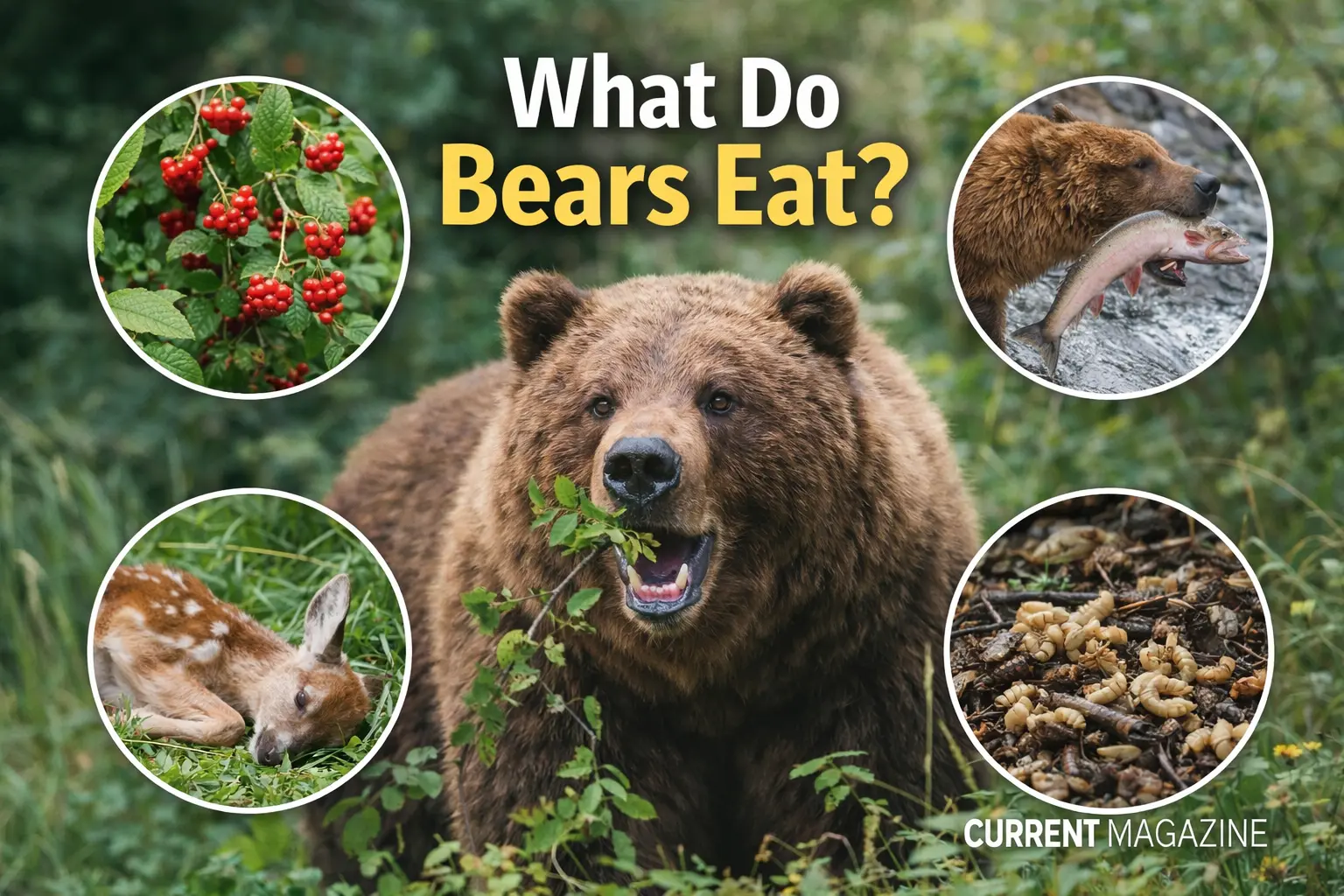
Bears are fascinating creatures with surprisingly diverse diets. While many people think of What Do Bears Eat as fierce meat-eaters, most bears are actually omnivores who eat both plants and animals. What bears eat depends on their species, where they live, and what season it is.
This guide will explain exactly what different types of bears eat, how their diets change throughout the year, and some surprising facts about bear eating habits.
Are Bears Carnivores or Omnivores?
Most bears are omnivores, meaning they eat both plants and meat. However, the balance between plants and meat varies greatly depending on the bear species:
- Black bears and brown bears: About 70-90% of their diet is plant-based
- Polar bears: Almost entirely carnivorous (meat-eaters), with seals making up most of their diet
- Grizzly bears: Highly omnivorous with seasonal variation
- Panda bears: Almost entirely herbivorous (plant-eaters), eating mainly bamboo
Despite being classified in the order Carnivora (the scientific group that includes meat-eating animals), most bears have adapted to eat whatever food is available in their environment.
What Do Black Bears Eat?
Black bears are the most common bear species in North America. They’re opportunistic eaters who change their diet based on what’s available throughout the year.
Spring Diet (March-May)
After emerging from hibernation, hungry black bears eat:
- Fresh vegetation: Tender shoots, grasses, young leaves, and clover
- Insects: Ants, beetles, and larvae provide essential protein
- Carrion: Dead animals that didn’t survive the winter
- Spring-beauty plants: Early blooming flowers
- Dandelions and horsetail: Common spring greens
Spring is a lean time for bears. They’re very hungry after hibernation but food is still limited.
Summer Diet (June-August)
Summer offers abundant food options:
- Berries: Raspberries, blueberries, blackberries, and strawberries (favorites!)
- More insects: Ants and grubs from rotten logs
- Fish: When available in streams and rivers
- Small mammals: Occasionally mice, squirrels, or rabbits
- Bird eggs: When they find nests
- Fruits: Cherries, apples, and other soft fruits
Fall Diet (September-November)
Fall is the most important feeding season. Bears enter a state called “hyperphagia” where they eat almost constantly to prepare for hibernation:
- Acorns: The most important fall food in eastern forests
- Nuts: Hazelnuts, beechnuts, and hickory nuts
- Berries: Any remaining late-season berries
- Carrion: Larger animal carcasses when available
- Human crops: Corn, apples from orchards (when accessible)
During fall, black bears can consume up to 20,000 calories per day. A bear with access to acorns can nearly double its body weight before hibernation.
Winter
Black bears hibernate during winter and don’t eat at all. They survive entirely on the fat reserves they built up during fall.
What Do Grizzly Bears (Brown Bears) Eat?
Grizzly bears and brown bears are the same species (Ursus arctos) but are called different names in different regions. They’re among the most omnivorous animals in the world and have been recorded eating a greater variety of foods than any other bear species.
Plant Foods (70-80% of diet)
- Roots and bulbs: Sweet-vetch roots, glacier lily bulbs, and hedysarum roots
- Grasses and sedges: Especially in spring and early summer
- Berries: Blueberries, huckleberries, and buffalo berries (can eat 200,000 berries in one day!)
- Pine nuts: Important in some regions
- Mushrooms: Various types throughout the season
- Tree bark: When other food is scarce
Animal Foods (20-30% of diet)
- Salmon: The most important animal protein in coastal areas
- Ground squirrels and marmots: In some regions
- Carrion: Dead deer, elk, moose, and other large animals
- Young ungulates: Deer fawns, elk calves, and moose calves
- Insects: Moths, ants, and larvae
- Small rodents: Mice, voles, and pikas
Grizzly bears in coastal Alaska can grow much larger than inland grizzlies because they have access to nutrient-rich salmon. Some coastal brown bears can weigh over 1,000 pounds, while inland grizzlies typically weigh 400-600 pounds.
What Do Polar Bears Eat?
Polar bears are the most carnivorous of all bear species. They’re specialized hunters that depend almost entirely on marine mammals for survival.
Primary Diet
Seals make up about 90% of a polar bear’s diet:
- Ringed seals: The main prey species and favorite food
- Bearded seals: Larger and provide more fat
- Harp seals: When available
- Hooded seals: Occasionally hunted
- Ribbon seals: Less common prey
Polar bears prefer the fat-rich blubber and skin of seals over the meat. When hunting is good, they may eat only the blubber and leave the rest for scavengers. A polar bear can eat 100 pounds of seal blubber in a single sitting.
How Polar Bears Hunt Seals
Polar bears use several clever hunting techniques:
- Still hunting: Waiting motionless beside a breathing hole in the ice for hours (sometimes days) until a seal surfaces
- Stalking on ice: Slowly approaching seals resting on the ice, then charging the last 20-30 feet
- Aquatic stalking: Swimming underwater to approach seals
- Breaking into birth lairs: Smashing through snow-covered seal dens to catch mothers and pups
Alternative Foods
When seals are unavailable, polar bears will eat:
- Whale carcasses: Beached beluga or bowhead whales
- Walruses: Occasionally, though dangerous to hunt
- Bird eggs: When on land during summer
- Seaweed and kelp: Provides minimal nutrition
- Small mammals: Lemmings, voles, or Arctic hares
- Berries: When available on land
- Reindeer or caribou: Rare but documented
However, these alternative foods don’t provide enough calories to sustain polar bears long-term. Polar bears need the high-fat content of seal blubber to survive.
Climate Change Impact
Polar bears are facing serious challenges as sea ice melts earlier and forms later each year. With less time on the ice, they have fewer opportunities to hunt seals and must fast for longer periods on land.
What Do Panda Bears Eat?
Giant pandas are unique among bears because they’re almost entirely herbivorous:
- 99% of diet: Bamboo (leaves, stems, and shoots)
- Occasionally: Small rodents, birds, or carrion
- In captivity: Bamboo plus apples, sweet potatoes, and special biscuits
Pandas must eat 26 to 84 pounds of bamboo every day because it’s not very nutritious and their digestive systems aren’t well-adapted for processing plants.
How Bear Diets Change With Seasons
Understanding seasonal eating patterns helps explain bear behavior:
Spring (Lean Season)
- Food is scarce after winter
- Bears eat whatever they can find
- Mostly vegetation and carrion
- Bears continue to lose weight until late spring
Summer (Building Season)
- Food becomes more abundant
- Berries and insects are plentiful
- Bears start gaining weight
- Protein intake increases
Fall (Hyperphagia)
- The most critical eating period
- Bears eat up to 20,000 calories daily
- Focus on high-fat, high-calorie foods
- Bears can gain several pounds per day
- Must build enough fat reserves for winter
Winter (Hibernation for Most Species)
- Most bears hibernate and don’t eat
- They survive on stored fat
- Polar bears continue hunting on sea ice
- Some urban bears skip hibernation if food is available year-round
Special Bear Feeding Behaviors
Surplus Killing
Bears sometimes kill more prey than they can eat immediately. Polar bears have been observed killing multiple seals and leaving them uneaten. Brown bears will cache (bury) large kills under moss, soil, and vegetation to preserve them for later meals.
Hyperphagia
This is the period before hibernation when bears enter an intense feeding state. During hyperphagia:
- Bears may feed for 20 hours per day
- They can consume 20,000 calories or more daily
- Normal bears might gain 3-4 pounds per day
- Bears become more bold and willing to take risks for food
Fishing Techniques
Bears that catch salmon have developed impressive fishing skills:
- Diving: Plunging headfirst into water to catch fish
- Pinning: Using their paws to trap fish against rocks
- Waiting at waterfalls: Catching fish as they jump
- Wading: Walking through shallow water and grabbing fish
The most skilled bear fishers catch multiple salmon per hour during peak spawning season.
What Attracts Bears to Human Areas?
Bears have an excellent sense of smell and can detect food from miles away. Common attractants include:
Food Sources
- Garbage and trash: Sweet-smelling and easily accessible
- Bird feeders: Full of high-calorie seeds
- Pet food: Left outside in bowls
- Barbecue grills: Smells and food residue
- Compost bins: Rotting fruit and vegetables
- Livestock feed: Grain and pellets
- Beehives: Bears love honey and bee larvae
- Fruit trees: Apples, cherries, and plums
- Gardens: Corn, berries, and other crops
Why This Is Dangerous
When bears get food from humans:
- They lose their natural fear of people
- They become dependent on human food
- Conflicts increase, putting both bears and people at risk
- Bears may need to be relocated or euthanized
- “A fed bear is a dead bear” is a common wildlife management saying
Fascinating Bear Diet Facts
Digestive Efficiency
- Polar bears can digest and absorb 97% of the fat they eat and 84% of the protein
- Black bears have difficulty digesting tough plant fibers
- Bears don’t chew their food thoroughly – they have simple digestive systems
Stomach Capacity
- A polar bear’s stomach can hold up to 20% of its body weight
- A 900-pound bear could have 180 pounds of food in its stomach
- This allows bears to gorge when food is plentiful
Selective Eating
- When salmon are abundant, grizzly bears often eat only the brain, skin, and eggs – the most nutritious parts
- Polar bears prefer blubber over meat
- Bears will choose foods with higher calorie content when options are available
Incredible Sense of Smell
- Bears can smell food up to 20 miles away
- Polar bears can detect seals under 3 feet of ice
- This powerful sense of smell helps them find rare food sources
Eating Speed
- A polar bear can consume 10 kilograms (22 pounds) of seal blubber in just 30 minutes
- During hyperphagia, bears rarely stop eating for more than an hour or two
How Much Do Bears Need to Eat?
The amount varies greatly by species and season:
Black Bears
- Spring/Summer: 5,000-8,000 calories per day
- Fall (hyperphagia): 15,000-20,000 calories per day
- Weight gain goal: 50-100% of spring body weight
Grizzly Bears
- Normal period: 8,000-10,000 calories per day
- Fall feeding: 20,000+ calories per day
- Coastal bears: Even more when salmon are abundant
Polar Bears
- Need one seal every 5-6 days to maintain body weight
- Can eat 100 pounds in one sitting
- Spring feeding (critical period): Store 2/3 of annual energy needs
Bear Diet and Conservation
Understanding what bears eat is crucial for conservation:
Habitat Protection
Bears need large territories with diverse food sources. Protecting forests, salmon streams, and berry patches ensures bears have enough natural food.
Climate Change Concerns
- Warming temperatures affect berry crops and salmon runs
- Earlier ice melt reduces polar bear hunting time
- Changing seasons disrupt the timing of food availability
Human-Bear Coexistence
- Securing human food prevents habituation
- Protecting natural food sources reduces conflicts
- Understanding bear diets helps predict their movements
What Bears Don’t Eat
Despite being opportunistic, bears generally avoid:
- Spicy foods: They have taste receptors that detect capsaicin
- Citrus fruits: Generally not preferred
- Adult healthy prey: Bears are not pursuit predators
- Each other: Adult bears rarely prey on other adult bears (though males may kill cubs)
The Bottom Line
What do bears eat? The answer depends on the species, location, and season:
- Black bears: Mostly plants (berries, nuts, vegetation) with some insects and occasional meat
- Grizzly/brown bears: Highly varied diet of plants, berries, roots, salmon, and carrion
- Polar bears: Almost entirely seals, with high-fat blubber being the preferred food
- Panda bears: 99% bamboo
Most bears are omnivores who eat whatever is available and nutritious. They’re opportunistic feeders with remarkable adaptability. The seasonal nature of their diet, especially the critical fall feeding period, drives much of their behavior and determines their survival through winter.
Understanding bear diets helps us appreciate these intelligent animals and coexist safely with them in areas where humans and bears share the landscape.
10 Frequently Asked Questions About What Bears Eat
1. What is a bear’s favorite food?
The favorite food varies by bear species. Black bears love berries and acorns, with acorns being particularly important for weight gain before hibernation. Grizzly bears favor salmon when available, but also love berries – they can eat 200,000 berries in a single day. Polar bears’ favorite food is ringed seal blubber, which provides the high-fat content they need. When given a choice, most bears select foods with the highest calorie and fat content.
2. Do bears eat meat or plants?
Most bears eat both meat and plants, making them omnivores. However, the ratio varies by species. Black bears and grizzly bears get 70-90% of their calories from plants like berries, nuts, roots, and grasses, with only 10-30% from meat. Polar bears are different – they’re almost entirely carnivorous, getting about 90% of their diet from seals. Giant pandas are the opposite, eating 99% bamboo.
3. Do bears eat humans?
Bears rarely attack or eat humans. Most bear species are not natural predators of people and attacks are extremely uncommon. When attacks do occur, they’re usually defensive (mother protecting cubs) or because the bear was surprised or felt threatened. Predatory attacks where a bear intends to eat a person are exceptionally rare. Black bears are responsible for most North American bear attacks, but fatal attacks are still very uncommon compared to the millions of human-bear encounters each year.
4. What do bears eat in the wild during fall?
Fall is the most important feeding season for bears as they prepare for hibernation. Bears enter a state called hyperphagia and consume up to 20,000 calories daily. Black bears focus heavily on acorns, which can help them nearly double their body weight. They also eat nuts (hazelnuts, beechnuts), late-season berries, and any available carrion. Grizzly bears eat berries, pine nuts, roots, and salmon. This intense fall feeding determines whether bears have enough fat reserves to survive winter.
5. Do polar bears only eat seals?
While seals make up about 90% of a polar bear’s diet, they don’t exclusively eat seals. Polar bears also consume beached whale carcasses (beluga or bowhead whales), walruses, bird eggs, seaweed, small mammals like lemmings, berries, and occasionally reindeer. However, these alternative foods don’t provide enough calories to sustain polar bears long-term. They need the high-fat content of seal blubber to build the fat reserves necessary for survival during periods when hunting is poor.
6. Why do bears eat so much before hibernation?
Bears must build massive fat reserves to survive winter hibernation without eating or drinking for 3-7 months depending on their location. During hibernation, bears lose 15-30% of their body weight while living entirely off stored fat. Female bears also give birth during hibernation and must nurse cubs using their fat reserves. If bears don’t gain enough weight in fall, they may not survive winter, or females may lose cubs. This is why the fall feeding period (hyperphagia) is so critical.
7. Can bears digest plants?
Bears can digest plants, but not as efficiently as true herbivores like deer or cows. Despite eating mostly plants, bears have relatively simple digestive systems more similar to carnivores. They struggle to digest tough, fibrous materials like grasses and tree bark. This is why bears prefer high-calorie plant foods like berries, nuts, and roots over grasses. They make up for poor digestive efficiency by eating large quantities. Pandas face this challenge most severely, needing to eat 26-84 pounds of bamboo daily because they digest it so poorly.
8. How do grizzly bears catch salmon?
Grizzly bears use several techniques to catch salmon during spawning season. The most common methods include standing at waterfalls and catching fish as they jump, diving headfirst into water to pin fish, using their paws to trap salmon against rocks or the stream bottom, and wading through shallow water to grab fish. The most skilled bears can catch multiple salmon per hour. When salmon are abundant, bears often eat only the most nutritious parts – the brain, skin, and eggs – leaving the rest for scavengers.
9. Do bears eat garbage?
Yes, bears will eat garbage when they can access it. Bears have an excellent sense of smell and can detect food in trash cans from miles away. Garbage provides easy calories, which is why bears are attracted to residential areas, campsites, and dump sites. However, eating human food and garbage is dangerous for bears because they become habituated to humans, lose their natural fear, and often end up being relocated or euthanized. This is why wildlife managers say “a fed bear is a dead bear.”
10. What percentage of a bear’s diet is meat?
The percentage varies dramatically by species. Polar bears get about 90% of their calories from meat (primarily seal blubber). Black bears and grizzly bears are mostly plant-eaters, getting only 10-30% of their diet from meat, with the remaining 70-90% from plants like berries, nuts, roots, and grasses. The meat they do eat is often carrion (already dead animals) rather than animals they hunted themselves. Giant pandas are the exception, getting less than 1% of their diet from meat.