What Does a VPN Do for Security? A Complete Guide to Virtual Private Networks and Online Protection

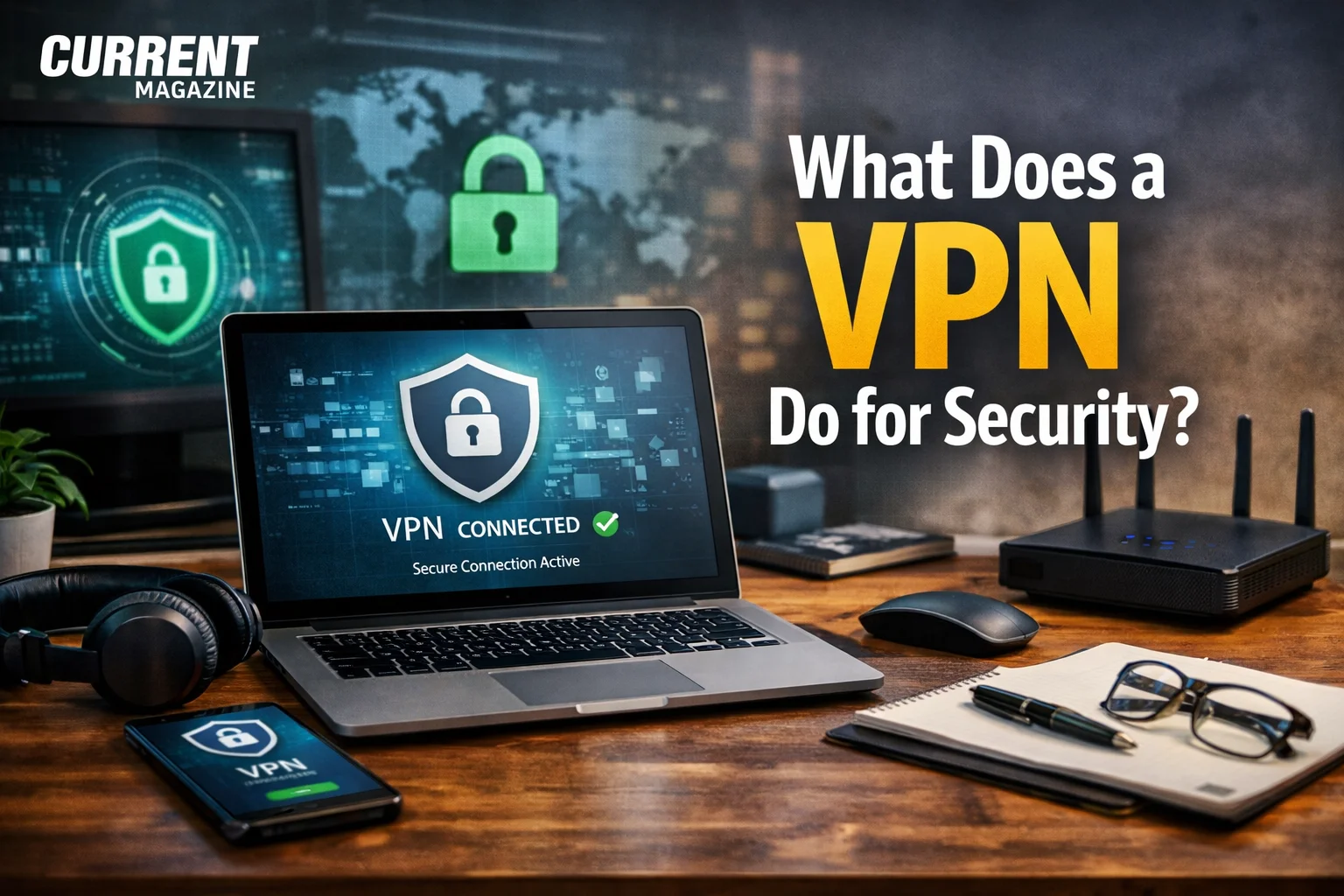
If you’re wondering what does a VPN do for security, you’re asking an essential question about protecting your digital life. A VPN (Virtual Private Network) provides security by encrypting your internet connection, hiding your IP address, and creating a secure tunnel for your online activities that prevents hackers, ISPs, and other third parties from seeing what you do online. Understanding what a VPN does for security helps you protect sensitive information, maintain privacy, and browse the internet safely whether you’re at home, at work, or using public WiFi. From preventing data theft to bypassing censorship, VPNs have become fundamental tools for digital security in an increasingly connected world.
With cyber threats growing more sophisticated and privacy concerns mounting, VPNs have evolved from niche tools used primarily by tech experts to mainstream security solutions for everyday internet users. Whether you’re concerned about hackers, government surveillance, or simply want to keep your online activities private, understanding how VPNs protect you is crucial. Let’s explore exactly what VPNs do for your security and why they’ve become so important.
Understanding VPNs: The Basics
Before diving into security specifics, it’s essential to understand what a VPN is and how it fundamentally works.
What Is a VPN?
A Virtual Private Network creates a private, encrypted connection between your device and the internet. Think of it as a secure tunnel through which all your internet traffic passes, protecting it from prying eyes along the way.
Without a VPN, your internet connection is direct and exposed. Your Internet Service Provider (ISP) can see every website you visit, hackers on the same WiFi network can potentially intercept your data, and websites can track your location and activities. A VPN changes this by routing your connection through an encrypted server, masking your activities and location.
How VPNs Work
When you connect to a VPN, several things happen:
Encryption: Your data is scrambled into unreadable code before leaving your device. Even if someone intercepts this data, they can’t decipher it without the encryption key.
Tunneling: Your encrypted data travels through a secure “tunnel” to a VPN server. This tunnel prevents anyone from accessing your data while it’s in transit.
IP Address Masking: Your real IP address (which reveals your location and identity) is hidden. Websites and online services see the VPN server’s IP address instead of yours.
Decryption and Forwarding: The VPN server decrypts your data and forwards your requests to their destinations (websites, apps, etc.). Responses travel back through the same secure tunnel to reach you.
This process happens automatically and nearly instantaneously, so browsing feels almost the same as without a VPN, but with significantly enhanced security and privacy.
Core Security Benefits of VPNs
VPNs provide multiple layers of security protection that address different threats you face online.
Encryption: Your Primary Defense
Encryption is the foundation of VPN security. It transforms your readable data into coded gibberish that only authorized parties can decode.
Military-Grade Protection
Most reputable VPNs use AES-256 encryption, the same standard used by governments and militaries worldwide to protect classified information. This encryption is virtually unbreakable with current technology—it would take billions of years for even the most powerful computers to crack it through brute force.
When you send a message, visit a website, or transfer a file through a VPN, encryption ensures that if anyone intercepts that data, they see only meaningless scrambled code instead of your actual information.
What Encryption Protects
Encryption shields all data traveling between your device and the VPN server, including passwords you enter on websites, credit card numbers used for online purchases, personal messages and emails, files you upload or download, and your browsing history.
Without encryption, this information travels in plain text that anyone with the right tools can read. With VPN encryption, it’s completely protected.
Types of Encryption
VPNs use different encryption protocols with varying security and speed characteristics:
OpenVPN: Highly secure and open-source, making it transparent and trustworthy. It’s widely considered the gold standard.
WireGuard: Newer protocol that’s faster than OpenVPN while maintaining strong security. It’s becoming increasingly popular.
IKEv2/IPSec: Fast and stable, particularly good for mobile devices that frequently switch between WiFi and cellular connections.
L2TP/IPSec: Older protocol that’s secure but slower. Less commonly used in modern VPNs.
The specific protocol matters less than ensuring your VPN uses strong encryption. Reputable VPN providers offer multiple protocol options.
Protection on Public WiFi Networks
Public WiFi networks in cafes, airports, hotels, and other public places are notoriously insecure and represent one of the biggest security risks for average internet users.
The Public WiFi Danger
Public WiFi networks often have weak or no encryption, making them ideal hunting grounds for hackers. Cybercriminals can easily intercept data transmitted over these networks using readily available tools.
Common attacks on public WiFi include:
Man-in-the-Middle Attacks: Hackers position themselves between you and the connection point, intercepting all data passing through.
Evil Twin Attacks: Criminals create fake WiFi hotspots with names similar to legitimate ones (like “Starbucks_WiFi_Free”). When you connect, they capture all your traffic.
Packet Sniffing: Hackers use software to capture data packets traveling across the network, extracting passwords, emails, and other sensitive information.
Session Hijacking: Attackers steal your session cookies, allowing them to impersonate you on websites and services you’re logged into.
How VPNs Protect You
When you use a VPN on public WiFi, all your data is encrypted before it leaves your device. Even if hackers intercept it, they only see encrypted gibberish. The VPN creates a secure, private connection even on a completely open, insecure network.
This protection is so important that security experts universally recommend never using public WiFi without a VPN, especially when accessing sensitive accounts like banking, email, or work systems.
Hiding Your IP Address and Location
Your IP (Internet Protocol) address is a unique identifier assigned to your internet connection. It reveals significant information about you and creates security vulnerabilities.
What Your IP Address Reveals
Your IP address discloses your approximate geographic location (city or neighborhood), your Internet Service Provider, and sometimes even your specific network. This information can be used for various purposes, not all of them benign.
Security Risks of Exposed IP Addresses
Exposed IP addresses create several security concerns:
Targeted Attacks: Hackers can use your IP address to launch targeted attacks against your specific network or devices.
Physical Location Tracking: In extreme cases, your IP address can help malicious actors determine your physical location, creating personal safety risks.
Profiling and Tracking: Companies and data brokers build detailed profiles of your online behavior linked to your IP address, which can be exploited or leaked.
Censorship and Discrimination: Some websites restrict content or charge different prices based on your location as revealed by your IP address.
How VPNs Hide Your IP
VPNs mask your real IP address by routing your connection through their servers. Websites and online services see the VPN server’s IP address instead of yours. This provides several security benefits:
Your actual location remains hidden, making it harder for anyone to track you physically or target you based on geography. Your activities can’t be directly linked to your real IP address and identity. You can appear to be in different locations, bypassing geographic restrictions and censorship.
Preventing ISP Surveillance and Tracking
Your Internet Service Provider can see everything you do online—every website you visit, every search you make, and every file you download. This creates both privacy and security concerns.
What ISPs Can See Without VPN
Without VPN protection, your ISP has a complete record of your online activities, including all websites you visit (URLs), all DNS requests (which translate website names to IP addresses), the timing and duration of your online sessions, and the amount of data you transfer.
Many ISPs log this information and may sell it to advertisers, share it with government agencies, or hand it over to copyright enforcement organizations. Some ISPs even inject advertising into your browsing based on tracking your activities.
How VPNs Prevent ISP Tracking
When you use a VPN, your ISP can only see that you’re connected to a VPN server. They can’t see what websites you visit, what you do on those sites, or what data you send and receive. All they observe is encrypted traffic going to and from the VPN server.
This prevents ISPs from building profiles of your online behavior, selling your data, or throttling your connection based on your activities (like streaming video or using certain services).
Protection Against Hackers and Cybercriminals
VPNs create multiple barriers that make it significantly harder for hackers to compromise your security.
Encrypted Communications
Since all your data is encrypted, hackers can’t easily intercept sensitive information like login credentials, financial data, or personal messages—even if they manage to position themselves in your network traffic path.
Hidden Network Presence
Your masked IP address makes it harder for hackers to target your specific network or devices. They can’t easily identify your location or ISP to launch targeted attacks.
Secure Remote Access
When working remotely, VPNs allow you to securely access company networks and resources without exposing them to the broader internet. This is crucial for protecting corporate data and systems from unauthorized access.
Protection from DDoS Attacks
If you’re engaged in activities where others might launch DDoS (Distributed Denial of Service) attacks against you—like competitive gaming or controversial public speech—a VPN hides your real IP address, making it nearly impossible for attackers to target you directly.
What VPNs DON’T Protect Against
Understanding VPN limitations is as important as knowing their benefits. VPNs aren’t magic security bullets that protect against everything.
Malware and Viruses
VPNs don’t protect your device from malware, viruses, or malicious software. If you download an infected file or visit a compromised website, the VPN won’t stop the malware from infecting your device.
You still need antivirus software, careful downloading practices, and common sense about what links you click and what files you open. Some VPNs offer built-in malware blocking as an additional feature, but this isn’t standard VPN functionality.
Phishing Attacks
VPNs can’t protect you from phishing—fraudulent attempts to trick you into revealing sensitive information by impersonating legitimate organizations.
If you receive an email that looks like it’s from your bank asking you to click a link and enter your password, the VPN won’t prevent you from falling for this scam. You need to develop awareness of phishing tactics and verify the legitimacy of requests before providing information.
Data You Voluntarily Share
VPNs protect data in transit but can’t protect information you deliberately share online. If you post personal information on social media, provide details to websites, or share files with others, that information is outside the VPN’s protection.
Think of a VPN as protecting the envelope your letter travels in, not the contents you chose to write and send.
Tracking Through Cookies and Accounts
While VPNs hide your IP address, websites can still track you through browser cookies, login credentials, and digital fingerprinting techniques. If you’re logged into Facebook, Google, or other accounts, those companies can track your activities across the web regardless of VPN use.
For maximum privacy, combine VPN use with cookie management, private browsing modes, and careful account management.
Legal Consequences of Your Actions
VPNs don’t make illegal activities legal or protect you from the consequences of breaking laws. While they make it harder to trace activities to you, law enforcement agencies have resources and legal tools that can potentially identify VPN users engaged in illegal conduct.
VPNs should be used to enhance privacy and security for legitimate activities, not to facilitate illegal behavior.
VPN Security Features to Look For
Not all VPNs provide equal security. When choosing a VPN, look for these essential security features.
No-Logs Policy
A no-logs policy means the VPN provider doesn’t record or store information about your online activities, connection times, IP addresses, or browsing history.
This is crucial because if a VPN keeps logs, that information could potentially be accessed by hackers, government agencies, or other third parties—defeating much of the privacy purpose. Look for VPN providers with clear, audited no-logs policies that have been independently verified.
Kill Switch
A kill switch is a critical security feature that automatically disconnects your internet if the VPN connection drops unexpectedly. Without a kill switch, if your VPN fails, your device might continue transmitting data over your regular, unprotected internet connection without you realizing it.
This could expose sensitive data or reveal your real IP address. A kill switch prevents this by cutting all internet access until the VPN reconnects.
DNS Leak Protection
DNS (Domain Name System) requests translate website names into IP addresses. Even when using a VPN, some devices might send DNS requests through your regular ISP instead of the VPN tunnel—a “DNS leak” that reveals what websites you’re visiting.
Quality VPNs include DNS leak protection that ensures all DNS requests go through the encrypted VPN tunnel. You can test your VPN for DNS leaks using online tools.
Multi-Factor Authentication
For accessing your VPN account, multi-factor authentication (MFA) adds an extra security layer beyond just a password. Even if someone obtains your password, they can’t access your account without the second authentication factor (like a code from your phone).
Multiple VPN Protocols
The best VPNs support multiple protocols, allowing you to choose between maximum security, fastest speed, or best compatibility with your device and network. Having options gives you flexibility for different security needs and situations.
Regular Security Audits
Trustworthy VPN providers undergo regular independent security audits where external cybersecurity firms examine their systems, practices, and claims. These audits verify that the VPN actually provides the security and privacy it promises.
Jurisdiction Considerations
VPNs based in certain countries may be subject to laws requiring data retention or cooperation with surveillance programs. Privacy-conscious users often prefer VPNs based in privacy-friendly jurisdictions with strong data protection laws and no mandatory logging requirements.
Special Security Scenarios Where VPNs Are Essential
Certain situations make VPN use particularly important for security.
Remote Work and Corporate Security
With remote work increasingly common, VPNs have become essential for corporate security. They allow employees to securely access company networks, files, and resources from home or anywhere else.
Corporate VPNs ensure that sensitive business data traveling between remote employees and company servers is encrypted and protected from interception. They also help companies control access to internal systems, ensuring only authorized employees can connect.
Many companies require VPN use for remote access to comply with industry regulations and security standards.
Travel and International Security
When traveling, especially internationally, VPNs provide crucial security benefits:
Secure Hotel and Airport WiFi: Travel often involves using unfamiliar and potentially insecure WiFi networks. VPNs protect your data on these risky connections.
Bypass Censorship: Some countries censor the internet heavily, blocking access to common services like Google, Facebook, or news sites. VPNs can help bypass these restrictions, though this may violate local laws in some places.
Protect Against Surveillance: Certain countries conduct extensive internet surveillance. VPNs provide a layer of protection against such monitoring.
Access Home Services: Banks and other services sometimes block access from foreign IP addresses as a security measure. VPNs allow you to appear as if you’re connecting from your home country.
Sensitive Communications
Journalists, activists, whistleblowers, and others who deal with sensitive information rely heavily on VPNs to protect their communications and sources.
VPNs help these users avoid surveillance, protect source anonymity, bypass censorship to communicate freely, and reduce risks of retaliation for their activities.
For these users, VPN security can be literally life-saving.
Financial Transactions
When conducting financial transactions online—banking, investing, shopping—VPNs provide extra security layers that protect your financial information from interception.
While most financial websites use their own encryption (HTTPS), VPNs add an additional security layer, particularly important when using public or untrusted networks.
Torrenting and P2P File Sharing
While we don’t endorse illegal file sharing, legitimate P2P activities (like downloading open-source software or legal content) expose your IP address to other users in the network.
VPNs protect privacy during P2P activities by hiding your real IP address and encrypting your traffic. Some VPNs specifically allow and optimize for P2P connections, while others prohibit it.
How to Maximize VPN Security
Simply using a VPN isn’t enough—you need to use it correctly to maximize security benefits.
Keep Your VPN Software Updated
VPN providers regularly release updates that patch security vulnerabilities, improve encryption, and add features. Always update to the latest version promptly.
Enable automatic updates if your VPN software supports this option.
Use Strong VPN Passwords
Your VPN account password should be strong and unique. If someone gains access to your VPN account, they could potentially see your activity logs (if any exist) or compromise your security.
Use a password manager to create and store complex, unique passwords for your VPN account.
Enable All Security Features
Don’t disable security features like kill switches or DNS leak protection for convenience. These features exist to protect you and should remain active.
Choose the Right Protocol
For maximum security, use OpenVPN or WireGuard protocols. Avoid older, less secure protocols like PPTP unless you have specific compatibility requirements.
Verify VPN Connection
Before accessing sensitive information, verify your VPN is actually connected and working. Check that your IP address is masked and you’re not experiencing DNS leaks using online testing tools.
Use VPN on All Devices
Protect all your devices—computers, phones, tablets, and even smart TVs or routers. Threats exist across all internet-connected devices.
Combine VPN with Other Security Measures
VPNs work best as part of comprehensive security:
- Use antivirus software to protect against malware
- Enable firewalls on your devices
- Use HTTPS websites whenever possible
- Practice good password hygiene
- Be cautious about phishing attempts
- Keep all software updated
- Use encrypted messaging for sensitive communications
Be Mindful of Trust
Remember that you’re trusting your VPN provider with your internet traffic. Choose reputable providers with proven track records, transparent privacy policies, and independent security audits.
Free VPNs especially should be viewed with skepticism—if you’re not paying for the product, you might be the product (through data collection and selling).
VPN Performance Impact on Security
Using a VPN affects your internet performance, and understanding this helps you make informed decisions.
Speed Reduction
VPNs typically slow your internet connection somewhat because:
- Encryption and decryption take processing time
- Your data travels to VPN servers before its destination (adding distance)
- VPN servers can become congested with many users
Quality VPNs minimize this slowdown through powerful servers, optimized protocols like WireGuard, and infrastructure located globally to reduce distance.
Speed reduction of 10-30% is normal. If your VPN slows things more dramatically, consider switching servers or providers.
Security vs. Speed Trade-offs
Stronger encryption and security protocols sometimes mean slower speeds. You can often choose:
- Maximum security: Slower but most secure
- Balanced: Good security with reasonable speed
- Speed prioritized: Faster but potentially less secure
For most users, balanced settings provide adequate security without excessive slowdown. Save maximum security for particularly sensitive activities.
Free VPNs vs. Paid VPNs: Security Implications
The free VPN vs. paid VPN debate has significant security implications.
Why Free VPNs Are Risky
Free VPN providers need to make money somehow. Common problematic practices include:
Logging and Selling Data: Free VPNs often extensively log user activities and sell this data to advertisers or data brokers—the opposite of what VPNs should do.
Injecting Ads: Some free VPNs inject advertisements into your browsing, which can include tracking and malicious code.
Limited Security: Free VPNs may use weaker encryption, outdated protocols, or have security vulnerabilities.
Malware Distribution: Some free VPNs contain malware or sell access to your device to third parties.
Bandwidth Theft: Certain free VPNs use your device as an exit node for other users’ traffic, consuming your bandwidth and potentially exposing you to liability for others’ actions.
When Free VPNs Might Be Acceptable
Some reputable companies offer limited free tiers to encourage users to upgrade to paid versions. These might be acceptable for casual, non-sensitive use if they come from trustworthy providers with clear privacy policies.
However, for serious security needs, paid VPNs from reputable providers are strongly recommended.
What You Get with Paid VPNs
Paid VPNs typically offer:
- Stronger encryption and security protocols
- Verified no-logs policies
- Better performance and faster speeds
- More server locations
- Customer support
- Additional security features
- Greater trustworthiness (their business model doesn’t depend on exploiting your data)
Quality paid VPNs cost $3-12 per month depending on subscription length, a small price for significantly better security and privacy.
The Bottom Line on VPN Security
VPNs provide essential security by encrypting your internet connection, hiding your IP address, and creating a secure tunnel that protects your data from hackers, ISP surveillance, and other threats. They’re particularly crucial when using public WiFi, accessing sensitive information remotely, or traveling.
However, VPNs aren’t complete security solutions. They don’t protect against malware, phishing, or information you voluntarily share. They work best as one component of comprehensive digital security that also includes antivirus software, careful online behavior, strong passwords, and awareness of threats.
For maximum security benefits, choose reputable paid VPN providers with verified no-logs policies, strong encryption, essential security features like kill switches and DNS leak protection, and transparent operations including independent audits.
The question isn’t whether you need a VPN—in today’s digital landscape, the security and privacy benefits make them essentially mandatory for anyone serious about protecting themselves online. The question is which VPN to choose and how to use it effectively as part of your overall security strategy.
Whether you’re protecting personal privacy, securing business communications, or simply browsing more safely, VPNs provide fundamental security that every internet user should consider implementing.
Frequently Asked Questions
1. Does a VPN completely protect me from hackers? VPNs significantly reduce hacking risks by encrypting your data and hiding your IP address, making it much harder for hackers to intercept information or target you directly. However, they don’t provide complete protection. VPNs can’t prevent malware infections, phishing attacks, or exploitation of vulnerabilities in software you use. For comprehensive protection, combine VPN use with antivirus software, firewalls, careful browsing habits, and strong passwords.
2. Can my internet provider see what I’m doing if I use a VPN? No. When you use a VPN, your internet provider (ISP) can only see that you’re connected to a VPN server and the amount of encrypted data being transferred. They cannot see which websites you visit, what you’re downloading, or any content of your communications. All they observe is encrypted traffic flowing between your device and the VPN server, protecting your privacy from ISP surveillance.
3. Are free VPNs safe to use? Most free VPNs are not safe and can actually compromise your security. They often log and sell your data to advertisers, use weak or outdated encryption, inject ads into your browsing, lack important security features, or even contain malware. Some reputable companies offer limited free tiers as trial versions of their paid services—these might be acceptable for non-sensitive use, but for serious security, paid VPNs from trusted providers are strongly recommended.
4. Do I need a VPN if I only browse secure HTTPS websites? Yes. While HTTPS encrypts the content of your communications with websites, it doesn’t hide your IP address, your browsing patterns, or which websites you visit from your ISP. HTTPS also doesn’t protect you on unsecured WiFi networks from certain attacks. VPNs provide an additional security layer by encrypting all your internet traffic and hiding your online activities and location. Using both HTTPS and VPN together provides the strongest protection.
5. Can VPNs protect me on public WiFi? Yes, this is one of the most important uses for VPNs. Public WiFi networks are extremely vulnerable to hacking, with criminals often intercepting data transmitted over these networks. VPNs encrypt all data before it leaves your device, making it unreadable even if intercepted. Security experts universally recommend never using public WiFi without VPN protection, especially when accessing sensitive accounts or information.
6. Will a VPN slow down my internet speed? VPNs typically reduce internet speed by 10-30% because encryption requires processing time and your data travels through VPN servers before reaching its destination. However, quality VPNs minimize this impact through powerful servers and optimized protocols. Some users actually experience faster speeds with VPNs in certain situations if their ISP throttles specific types of traffic. For most users, the slight speed reduction is an acceptable trade-off for significantly improved security and privacy.
7. How do I know if my VPN is actually working? You can verify VPN functionality by checking your IP address before and after connecting to the VPN using websites like “whatismyip.com”—your IP should change to the VPN server’s IP. You can also test for DNS leaks using online DNS leak test tools. Your VPN should show as “connected” in its interface, and you should be unable to access the internet if you enable the kill switch and disconnect the VPN. Reputable VPNs often include built-in connection verification tools.
8. Can law enforcement track me if I use a VPN? VPNs make tracking more difficult but not impossible for law enforcement with sufficient resources and legal authority. If a VPN provider keeps logs and receives a valid legal request, they may be required to provide information. Law enforcement can also use sophisticated techniques to potentially identify VPN users engaged in serious criminal activity. VPNs should be used to protect legitimate privacy, not to facilitate illegal activities, as they don’t provide absolute anonymity.
9. Do I need a VPN at home or just when traveling? VPNs provide security benefits both at home and while traveling. At home, VPNs protect your privacy from ISP surveillance, prevent tracking by websites and advertisers, and secure your connection from potential local network threats. While traveling, VPNs are even more critical for protecting against unsecured WiFi networks, bypassing regional restrictions, and securing connections in countries with heavy internet surveillance. Ideally, use VPNs consistently for continuous protection.
10. What’s the difference between VPN encryption and HTTPS encryption? HTTPS encrypts the content of your communication with specific websites, protecting data between your browser and the website’s server. However, your ISP and network administrators can still see which websites you visit. VPNs encrypt all internet traffic from your device before it leaves, hiding not just content but also which websites you visit, when you visit them, and your IP address. VPNs provide broader protection—HTTPS protects what you say, VPNs protect your entire conversation and with whom you’re talking.